
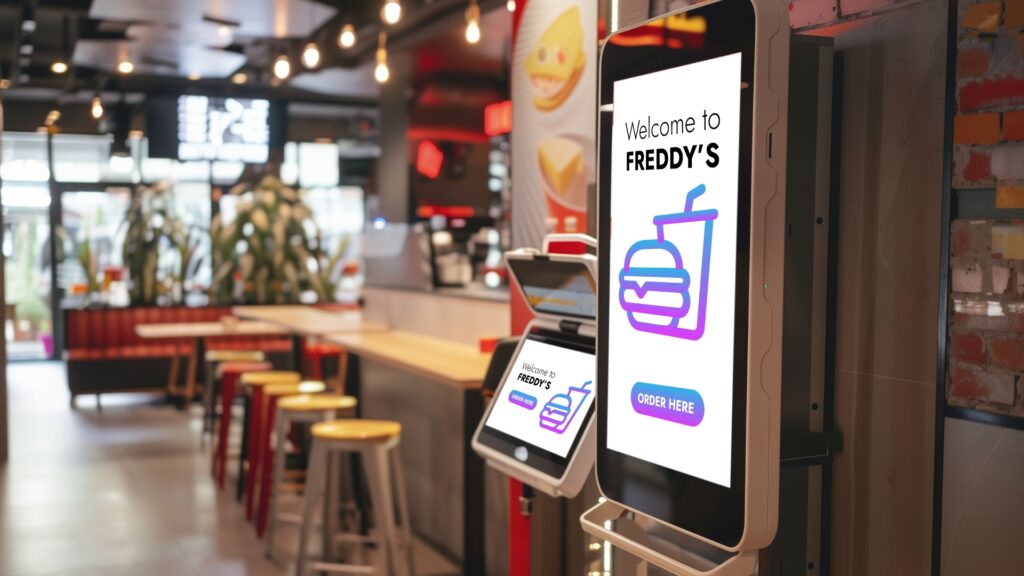
Half term and early spring bring fresh footfall, new routines and a chance to turn passing interest into action. If you want customers to explore, choose and book with confidence, interactive screens make it simple. No jargon, no heavy lift, just clear content your audience can use in seconds.
In this guide, we will show practical ways touch kiosks and interactive displays help people find what they need at the point of decision. You will see quick wins for hospitality, retail, estate agents and healthcare, plus three short story snapshots from recent installs to bring it to life.
If you are planning a half-term push or getting a head start on spring promotions, the ideas below are built to launch quickly. Updates take seconds, and QR codes make touch-free journeys effortless.
What interactive screens are and why they work
Interactive screens are displays you can tap or scan to get what you need. Think product finders, click-to-order menus, appointment booking and self-guided explainers. Instead of waiting for a member of staff, customers move at their own pace, compare options and take the next step on the spot.
They work because they remove friction. Choices are clearer. Menus are easier to browse. Listings feel alive, with photos and short videos that help decisions feel simple and safe. You stay in control of messaging, with the power to switch offers, prices and buttons in seconds.
You can add QR codes to anything you show. Someone can scan a code to order a special, book a slot or save a voucher to their phone, which is ideal for busier days and touch-free preferences.
Where interactive screens shine
Interactive screens are at their best where people want quick answers and a simple path to purchase.
- Hospitality: guests tap to view menus, see allergens and order specials. Add a QR code for table ordering or takeaway.
- Retail: shoppers use a product finder to check sizes, colours and availability, then scan to buy or reserve.
- Estate agents: window and in-branch screens let buyers filter by area, price and bedrooms, then book a viewing.
- Healthcare: patients explore short explainers on treatments and services, then scan to join a waitlist or request a consultation.
Across all of these, the magic is speed. You can switch content for lunch, after-school snacks or weekend offers in moments, which fits perfectly with half-term patterns and the first warm days that bring people back to the high street.
Quick wins by sector for the next six weeks
Small changes can create big lifts during half term and early spring. Try these focused ideas.
- Hospitality: launch click-to-order specials that rotate by time of day. Add a gentle upsell panel for a dessert or drink. If you want more ideas for layout and dayparting, explore how others use digital menu boards for fast service environments on our site.
- Retail: create a three-step product finder with large buttons: choose category, pick size, see what is in stock. Place a QR code that opens a basket or reserve page so people can move fast, even if a staff member is busy.
- Estate agents: add a simple search flow to your window display, then let viewers scan a code for full details. If you want inspiration for layouts that suit property grids and animated highlights, see our page on estate agent signage for window-first ideas.
- Healthcare: add one-screen explainers for common treatments, each with a button to view aftercare or scan to request an appointment. Keep the tone calm and clear. Short captions work best in waiting rooms.
Tip: test your content from the pavement. Use large text, strong contrast and short headlines. Our screens automatically adjust brightness, so your message stays visible across cloudy mornings and brighter afternoons.
Story snapshots from recent installs
Real-world wins help you see what is possible. Here are three fast snapshots.
- Pharmacy window uplift, Southampton West End: a 43 inch window screen showed flu jab reminders and a simple “scan to book” code. The team switched messages for half-term health tips within seconds. Staff reported faster enquiries and clearer questions from customers who had already read the essentials on the screen.
- Aesthetics clinic, Warsash: a bright window display rotated treatment explainers with short before-and-after clips. Walk-ins used a QR code to request a consultation on the spot. The clinic loved that updates for spring skin treatments took seconds, with no print delays.
- Dual-screen hospitality setup, Fordingbridge: a courtyard bar introduced a specials screen next to live match information. Guests used a QR code to order from their table during busy moments. Staff said queues felt shorter because people knew what they wanted before they reached the bar.
Make touch simple with QR codes
You do not need a full touchscreen to make interactions work. A clear on-screen QR code can do the job nicely. Link to a menu, a booking form, a valuation request, a care guide or a click-and-collect page. Because updates are instant, you can swap the link as your day changes.
Best practice:
- Use a short headline and an action, such as “Scan to order the lunch special”.
- Keep the code in a high-contrast corner, away from clutter.
- Test the scan from different distances.
How to start digital content creation without the overwhelm
Start with three building blocks: a clear goal, a simple set of templates and a short schedule.
- Pick one goal for the next two weeks. For example: sell out a seasonal special, promote three new properties, or fill next week’s clinic slots.
- Create three simple templates. Keep headlines short, use bright images and add one action. For video, 6 to 10 seconds is enough.
- Set a light schedule. Morning, mid-afternoon and early evening often catch the right moments on busier streets and during half term.
When you are ready for a step up, book a quick chat with our team. We can recommend layouts that fit your space and show you how to update your screens within seconds, whether you manage one site or many.
Helpful resources on our site
If you want to dive deeper into options and layouts that work for your sector, these guides are a good place to start:
- See practical examples of digital signage across sectors and how we approach installs, from planning to support, on our main page about digital signage.
- For estate agency window layouts and automated listing ideas, explore our dedicated page on digital signage for estate agents.
- If you run a fast service venue and want menu ideas, see our guidance for digital menu boards and timed offers.
Short FAQ
- What are interactive screens? Interactive screens are displays people can use to explore options and take action. They help customers find products, check menus, learn about services and book appointments right where decisions happen.
- Where are interactive screens used? You will see them in hospitality, retail, estate agency windows and branches, healthcare waiting areas and reception desks. They work well anywhere people need clear choices and a quick next step.
- How do I start digital content creation? Begin with one goal, a small set of simple templates and a short schedule. Keep messages brief, use strong images, add a QR code for action and review results at the end of each week to improve.
Wrapping up
Interactive screens make it easy for people to choose, book and buy, which is exactly what you want as half-term footfall builds and spring campaigns kick off. Start small with a tap-to-explore menu, a product finder or a scan-to-book code. Keep messages short, refresh them often and let your screens do the helpful work.
Ready to plan your next step? Explore our overview of digital signage for ideas and then get in touch for a quick chat about layouts, timings and a simple launch plan that fits your space.