
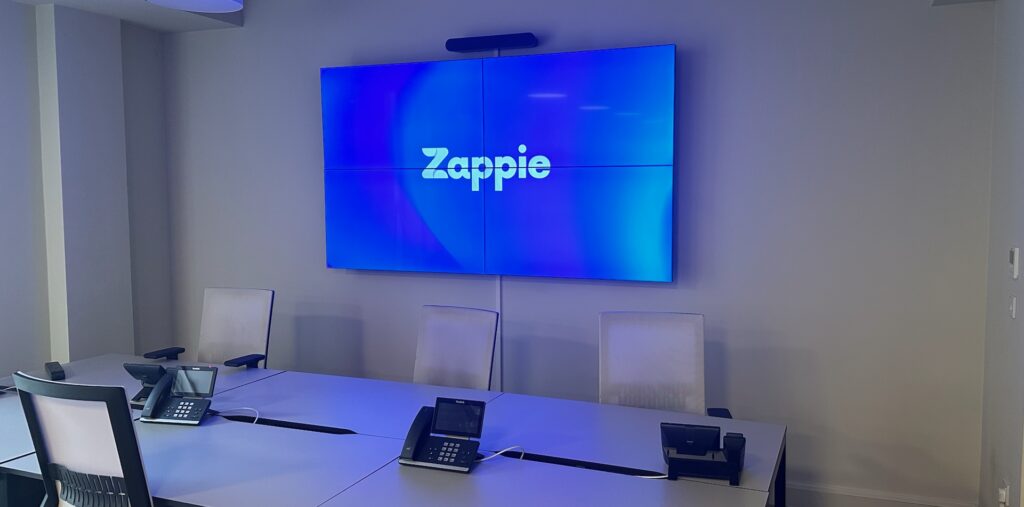
Video walls made simple: go beyond the ordinary for events and offices
Big, seamless visuals change how people feel when they walk into a room. A video wall makes a foyer look modern, turns a conference into a show, and helps a busy office share updates at a glance. The tech behind it can sound complicated, but it does not need to be. With the right screens, the right content, and a clean installation, you get a polished result without the hassle.
This guide explains the essentials in plain language. You will see layout ideas for events, receptions and showrooms, practical content tips for conferences and spring product launches, and simple ways to run playlists at different times of day. You will also learn how offices use video walls and shared screens to cut email volume and keep teams informed.
Our team plans, installs and supports video walls across the UK. Installations are tidy and fast, and we work around your day to keep disruption low. When we leave, everything is ready to use and easy to update.
What a video wall can do for your space
A video wall is a set of screens that behave like one giant display. The join lines are slim and the picture feels continuous, so your message fills the room. Clients choose video walls when they want:
- Impact at first glance in receptions, showrooms and atriums
- Confident, readable slides at events and conferences
- Moving brand stories that play through the day without manual effort
With our system, you can upload content, create simple playlists and schedule what plays in the morning, afternoon and evening. Screens can switch from welcome messages to live updates without you being there.
If you are exploring your first project, our overview of digital signage explains the building blocks and how updates work in seconds. You can read more on the Visivo website by visiting our page about digital signage.
Layout ideas that go beyond the ordinary
Your layout should match the shape of your space and the flow of people. Here are proven setups.
- Tall welcome wall for receptions: A portrait stack by the entrance that shows warm greetings, today’s visitors, brand highlights and a short loop of customer stories. Keep text large and bright so passers-by can read it in a few seconds.
- Wide stage backdrops for conferences: A long, low wall behind the presenter with safe zones for names, talk titles and captions. Slide decks look clean and videos feel cinematic. Add a side column to show the agenda and a countdown before each session.
- Product runway for showrooms: A central landscape wall with two side screens. Use the centre for hero videos and the sides for specs, colour options and QR codes for brochures. This gives visitors freedom to explore without crowding one spot.
- Foyer story strip for headquarters: A ribbon-style wall that moves through values, milestones and team wins on a calm 60 to 90 second loop. It sets the tone for guests and staff without shouting.
Content that works at conferences and spring launches
Great content is simple, bold and easy to read from a distance. For conferences:
- Open with a short brand video and a friendly welcome.
- Use slides with large headings, short lines and high contrast.
- Add a soft animated background between talks, with a clear session timer.
For spring product launches:
- Lead with bright seasonal colours and clean product shots.
- Show two or three standout features in plain words.
- Add a short demo loop, customer quote and a QR code to register interest.
You can layer gentle animated touches like drifting petals or subtle light fades to give motion without distraction. Short loops keep energy high while staying easy to manage.
Dayparting made easy: schedule playlists by time of day
You do not need to babysit a video wall. With our scheduling, you set:
- Morning: welcome messages, daily agenda, fresh product teasers
- Midday: keynote clips, team highlights, behind-the-scenes moments
- Late afternoon: offers, visitor reminders, social posts and thank-yous
Updates push out in seconds. If a time changes or a speaker swaps, you can adjust once and the new version appears across the screens. For multi-site teams, this keeps your brand consistent without extra work.
If you are planning a wider mix of screens across your estate, our guide to visual marketing explains simple ways to link your video wall with reception displays, corridor screens and window content.
Internal comms that reduce email
Offices are full of messages. Video walls and shared office screens help you cut noise and keep people aligned. Typical playlists include:
- Today’s priorities and safety notices
- KPI snapshots and live dashboards
- Team wins, birthdays and new joiners
- Visitor welcomes and room changes
- Wellbeing tips, canteen menus and travel updates
When the essentials are visible on screens people walk past, you can send fewer email blasts. Teams pick up the headlines at a glance and dive deeper only when needed. Our clients often say staff feel more connected and spend less time searching inboxes.
For ideas tailored to workplaces, see our page on digital signage for offices to explore layouts, content examples and rollout tips.
Fast, tidy installation with minimal disruption
We plan every install around your day. That means neat cable runs, safe fittings, clear labelling and quick on-site guidance so your team knows how to upload and schedule content. Most jobs complete with very little disturbance, and we leave spaces clean. Aftercare is personal and prompt, with support available when you need it.
Choosing the right type of digital screen
There are different screen types for different jobs. Here is a simple guide in plain English.
- LED video walls: Best for large, seamless visuals in events, showrooms and big receptions. Bright, flexible and easy to scale.
- High-brightness window screens: Designed for shopfronts and sunny spaces so your message stays clear through the day. Our screens automatically adjust brightness.
- Portable freestanding displays: Move them where you need impact for pop-ups, open days or foyer takeovers.
- Interactive kiosks: Let visitors browse products, book demos or sign up with a quick tap or QR scan.
- Standard indoor displays: Great for corridors, canteens and meeting areas to share updates and reminders.
If you want to see product options in one place, explore our product range for displays and accessories that fit your space.
Quick tips to keep content sharp
- Use large text and simple language on all key slides.
- Keep videos short, usually under 30 seconds for loops.
- Add captions to clips so your message lands in busy spaces.
- Test your playlist from typical viewing spots and tweak sizes.
- Refresh content each season to keep the story feeling new.
FAQ
What are five examples of audio visual?
- LED video walls, high-brightness window screens, interactive kiosks, portable freestanding displays, and multi-screen TV systems with sound.
What is an example of audiovisual equipment?
- A video wall with a media player and speakers is a clear example of audiovisual equipment used at events and in offices.
What are the different types of digital screens?
- LED video walls, window-ready high-brightness screens, portable displays, interactive touchscreen kiosks and standard indoor displays for corridors and meeting areas.
Next steps
A video wall is one of the fastest ways to lift the look and feel of your event or office. Keep layouts simple, schedule by time of day and focus on bold, clear content. If you would like help shaping a plan, speak with our team for a quick chat about your space, timelines and the content you want to show.
Useful links to explore:
- Learn more about digital signage on the Visivo home page.
- See how visual marketing works in practice and how quick updates can be.
- Explore layouts and ideas for digital signage for offices.