
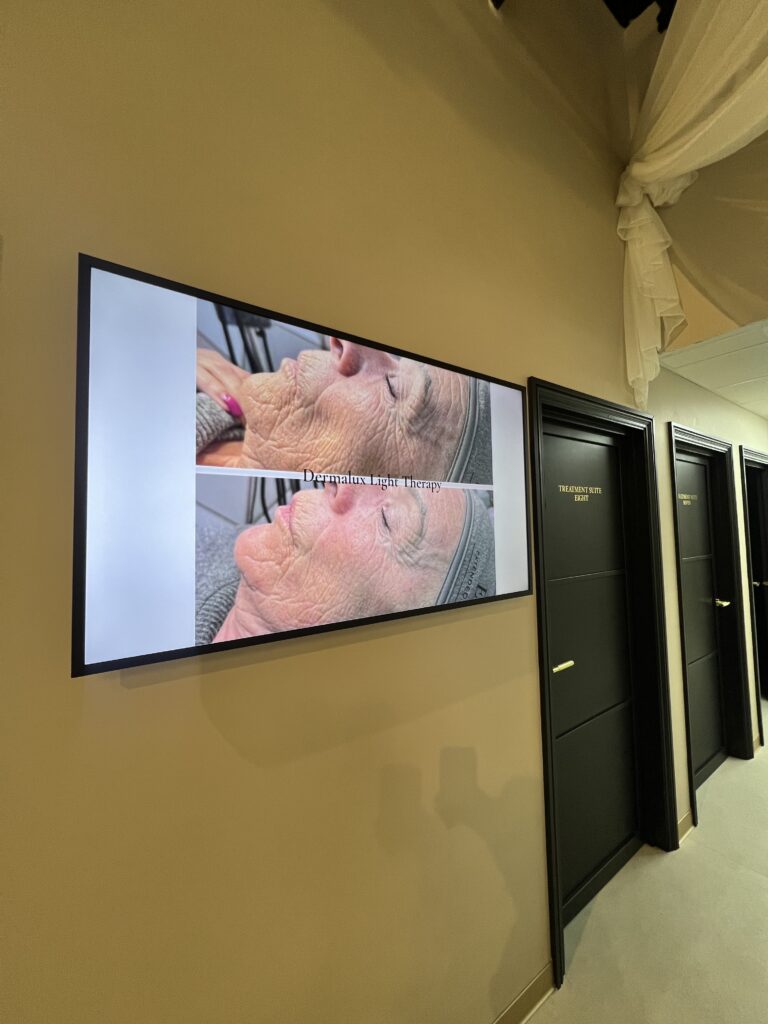
Waiting room advertising that feels helpful: calm screens, clear messages, faster bookings
Waiting rooms can do more than pass the time. With the right digital displays, they can calm anxious moments, answer common questions, and help patients book sooner.
Small changes make the biggest difference. Short, friendly messages. Clear appointment prompts. A quick QR code to rebook. Simple flu reminders. Together, they cut confusion and keep your team free for the conversations that matter.
This guide shows how to shape a welcoming space, what to show on screen, and how to keep everything up to date in seconds from your desk or phone.
Start with calm, clear content
People read in bursts, so keep every slide short and friendly. Aim for a seven-second read.
- Use one headline, one next step, one QR code
- Favour plain language over clinical terms
- Keep motion gentle and transitions soft
Helpful message ideas:
- Welcome and what to expect today
- How to check in or update details
- Flu jab reminders and who is eligible
- “Running a little behind” notices with an apology
- Self-care tips for common concerns
- How to book, rebook, or join a waiting list via QR
Make booking easy from the chair
Place a QR code in the same corner on every slide so it becomes familiar. Link directly to your booking page, cancellations, or repeat prescriptions. Patients can scan, rebook, and free up tomorrow’s slots without coming to the desk.
Daypart tips:
- Morning: Same-day cancellations and quick-book prompts
- Lunchtime: Repeat prescriptions and minor ailments guidance
- Late afternoon: Rebook and follow-up reminders
With Visivo Connect, you can update a number, swap a link, or pause a slide within seconds from your desk or phone, then set it to appear only when it is most useful.
Keep it accessible for everyone
Design for quick reading and mixed lighting. Use:
- Large text and a clear sans-serif font
- High contrast backgrounds
- Captions on all videos
- Simple icons with short labels
- Quiet-hour notices and sensory-friendly slides
Avoid fast flashes and busy animations. If your room is bright, our screens automatically adjust brightness to keep messages readable through the day.
Create a soothing look and feel
Pick a calm palette and stick to it. Use soft motion, such as a light fade or a slow pan over a still image. Keep loops short, around 2 to 3 minutes, so key messages reappear without feeling repetitive. Repeat important prompts, like flu booking or check-in, every third slide.
What to show in a healthcare, dental, or optical setting
Build a simple playlist with a mix of reassurance, guidance, and action:
- Welcome, how to check in, and privacy notices
- Appointment-running updates
- Flu, COVID-19, or seasonal vaccination prompts
- How to book hygienist or follow-up checks
- Minor eye conditions or dental care tips with a link for more detail
- Complaints and compliments route with a QR code
- Opening hours and quiet-hour times
- Wayfinding for accessible toilets, lifts, and baby changing
Want it done for you? We can set up a ready-to-use playlist in a single visit, including your colours, logos, and booking links.
Autumn mini content calendar
Use this quick plan from September to November:
- Week 1: Flu eligibility explainer, “Book in 30 seconds” QR
- Week 2: Repeat prescriptions reminder, link to online portal
- Week 3: Hygiene and handwashing tips, cold and cough triage
- Week 4: “Running late? Rebook by scanning here” prompt
- Week 5: Half-term child health tips and vaccination guidance
- Week 6: Smoking cessation support and clinic dates
- Week 7: Eye health in darker evenings, glare and screen tips
- Week 8: Dental check-up reminders before year end
- Week 9: Winter opening hours and bank holiday notes
- Week 10: “How was your visit?” feedback QR
Schedule each theme to appear during the most relevant hours, then let it run automatically.
Update once, show everywhere
Central control saves time. With Visivo Connect you can:
- Change slides from your desk or phone within seconds
- Schedule by time of day, day of week, or location
- Push updates to one screen or many at once
- Keep a library of trusted slides ready for seasonal swaps
If you manage multiple clinics, this keeps messages consistent while allowing local notes where needed.
Answering your big questions
- Types of digital signage: wall-mounted screens, high-bright window digital signage, freestanding portable displays, interactive kiosks, and multi-screen walls for larger spaces. In clinics, the most common are reception and waiting-room screens, plus bright window displays for street-facing messages.
- Where interactive screens are used: entrances for self check-in, reception for wayfinding and FAQs, pharmacies for product lookups, and museums, attractions, and retail for exploration. In healthcare, many sites prefer touch-free journeys using QR codes from standard screens.
- How to create your own digital content: start with a simple template, use large type, a short headline, one image, and a clear call to action. Save slides as short clips or stills. Keep a consistent corner for QR codes. Test on a screen and refine spacing before publishing. Build a 2 to 3 minute loop and schedule by time of day.
Quick setup, low disruption
Installation is tidy and planned around your day. We handle placement, safe cabling, and hand you a working playlist. Your team gets short, practical training so updates feel easy from day one. Ongoing support is available if you need a hand during busy seasons.
FAQs
Q: What are the main types of digital signage for clinics?
A: Waiting-room screens, reception screens, high-bright window displays, freestanding portable displays, and interactive kiosks.
Q: Where do interactive screens make sense?
A: Entrances and receptions for check-in, FAQs, and wayfinding. Many clinics prefer touch-free QR journeys from non-touch screens.
Q: How do I make my own content?
A: Use a clean template, big text, high contrast, one message per slide, and a consistent QR corner. Build a short loop and schedule it by time of day.
Q: Can I change content quickly?
A: Yes. With Visivo Connect you can update slides within seconds and schedule by time, day, and location.
Next steps
Ready to turn waiting time into helpful time? Explore our digital signage pages for healthcare and clinics, then ask us to set up a ready-to-use playlist in a single visit. You will have calm screens, clear messages, and faster bookings by the end of the week.
For ideas and options, see:
- Learn more about digital signage and how we help across sectors at Visivo (https://visivotech.co.uk)
- Browse product options, including indoor, window, and portable displays (https://visivotech.co.uk/products)
- See how cloud control works and how we plan tidy installations (https://visivotech.co.uk/how-it-works)
- Discover pharmacy-focused guidance and window display ideas (https://visivotech.co.uk/digital-signage-for-pharmacies)